If you’re using the popular iPhone version of the Easy Weddings directory and the “Your Current Location” button has suddenly stopped working, fear not, there’s a quick fix: turn on Location Services.
Recent changes to Apple’s latest iPhone operating system, iOS 6, automatically turn off Location Services, which are used by the Easy Weddings app to help you find wedding suppliers in your area.
By turning them back on again, your app will return to normal and work properly.
The fix takes just a few seconds.
If you’re a new user, simply ensure you tap the “OK” button when prompted to use your location.
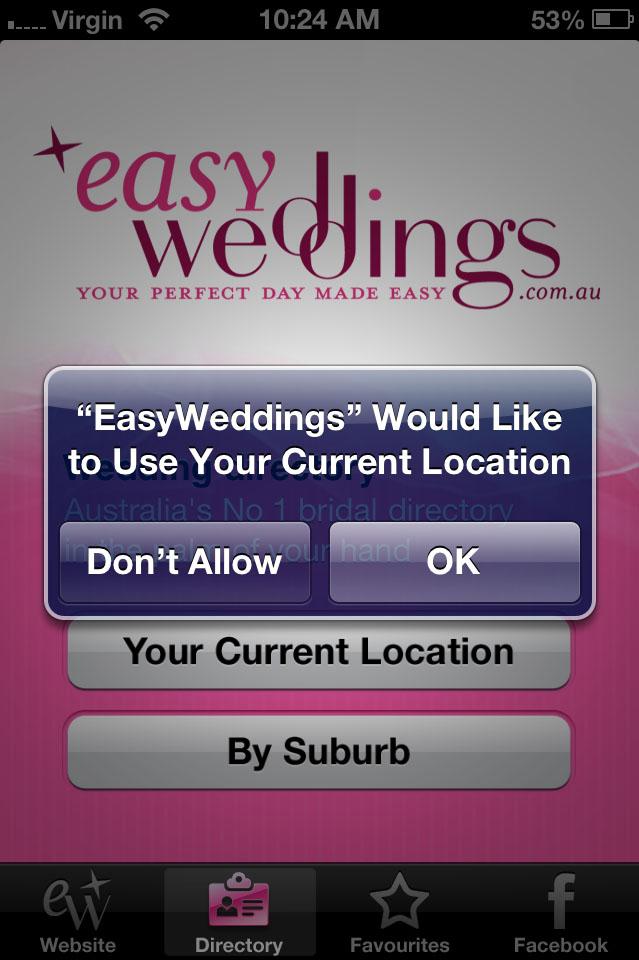
If you’re an existing user, do the following:
1) Click on your Settings icon

2) Tap on “Privacy” then 3) Tap on “Location Services” – ensure this option is turned on.
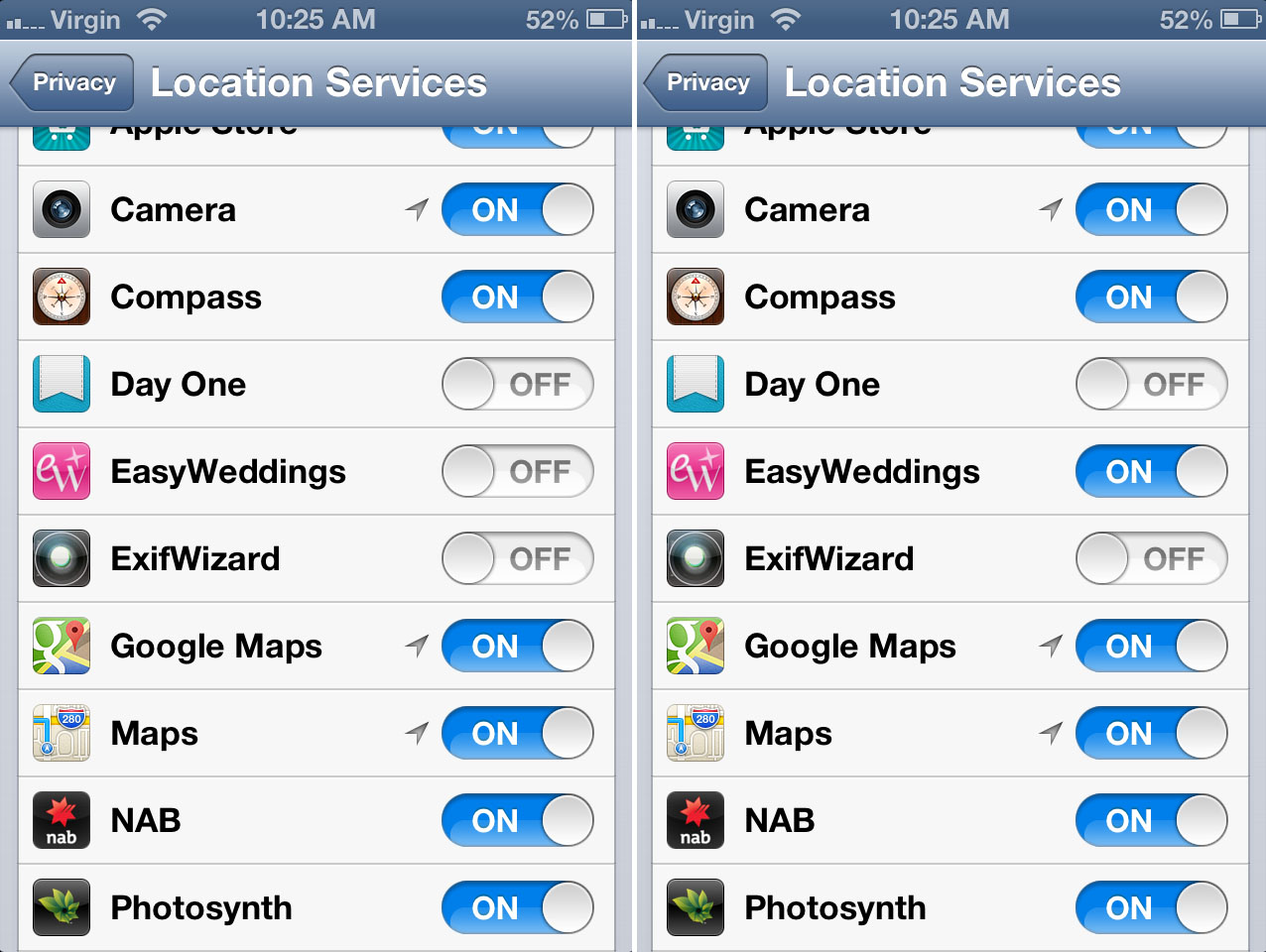
4) Find “EasyWeddings” – ensure this option is turned on.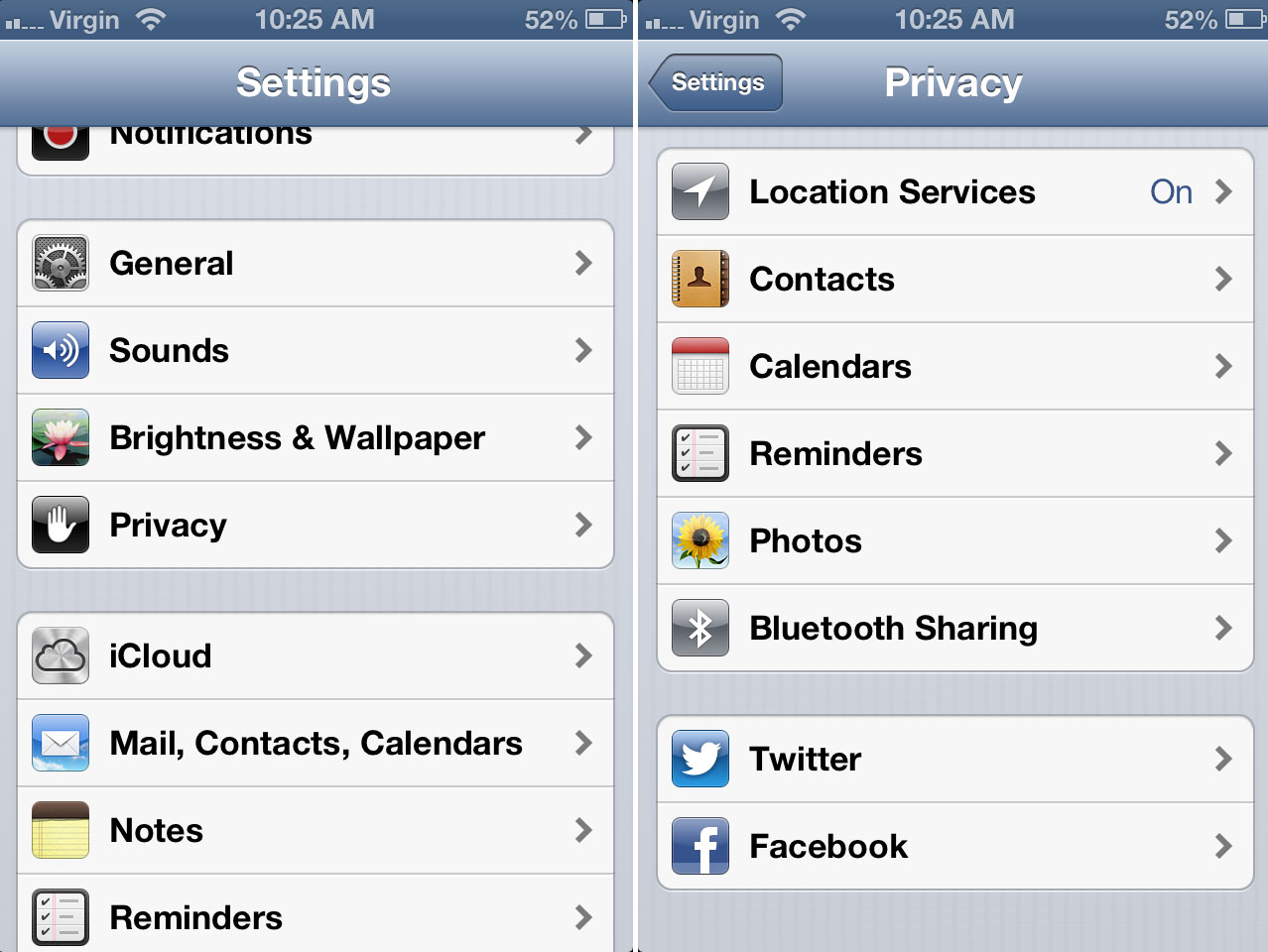 The “Your Current Location” button in the app should now work properly again.
If you have any problems, feel free to email us.





 Photographer pushes brides stepmum out of the way to capture couples first kiss as married couple